Updated September 4, 2026
Disclosure: As an Amazon Associate, I earn from qualifying purchases. This comes at no extra cost to you and helps keep this site running.
Your Tesla already has a dashcam built in, so you don’t need to buy one. TeslaCam and Sentry Mode record from the car’s own cameras, and all they need is somewhere to save the footage. That is why I tell every new Tesla owner the same thing: skip the dashcam aisle and buy the best USB drive for Tesla Sentry Mode and dashcam recording you can find, because the cameras are already there and the drive is the part that wears out.
I have had cheap USB sticks die on me and corrupt footage, so I know the difference between a drive that works on day one and one that survives years of continuous recording in a hot car. This guide covers how Tesla’s built-in dashcam works, which drives hold up, and what to buy if your EV isn’t a Tesla.
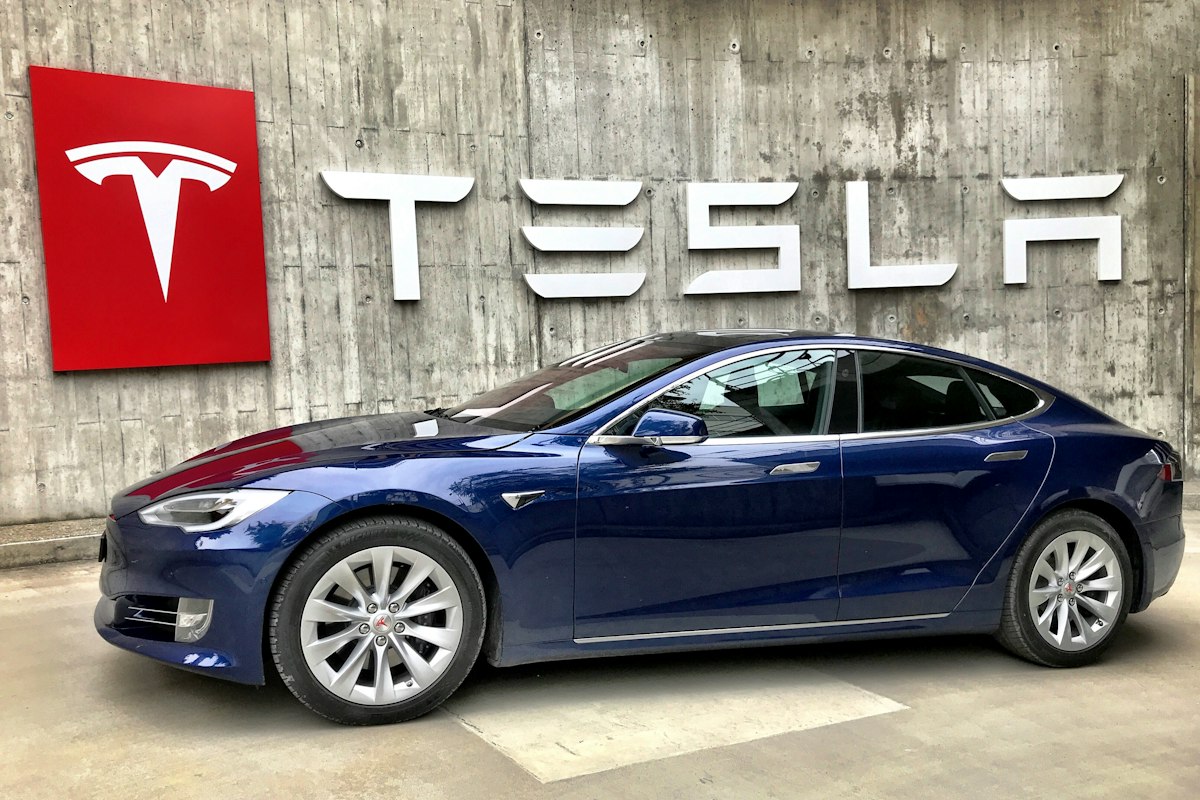
Your Tesla’s Dashcam Is Already Built In
Every modern Tesla — Model 3, Y, S, X, and Cybertruck — ships with two recording features that use the car’s own external cameras. Understanding them is the whole game:
- 🎥TeslaCam (Dashcam)Continuously records the front, rear, and side cameras while you drive. Tap the dashcam icon to save the last 10 minutes, or it auto-saves on a hard brake or collision. No subscription, no extra hardware on the glass.
- 🛡️Sentry ModeWhen parked, the car watches its surroundings and records anyone who gets too close. A real threat triggers an alert to your phone and flashes a warning on the screen. This is the feature that catches parking-lot hit-and-runs and vandalism.
- 💾The catch: you supply the storageBoth features need a USB drive (or SSD) formatted with a “TeslaCam” folder, plugged into the correct port — the glovebox USB on newer cars, or a front console port. The drive does all the work, which is why a cheap one fails.
Why Cheap Drives Fail (and What to Look For)
A Tesla writes several gigabytes per hour across multiple camera feeds, all day, in a cabin that bakes in summer heat. That’s a brutal workload — far harder than the occasional file transfer a normal flash drive is built for. Generic USB sticks overheat, hit their write-cycle limit, and die in 3–6 months, usually corrupting the one clip you actually needed. Here’s what separates a drive that lasts from one that doesn’t:
| Spec | Minimum | What You Actually Want |
|---|---|---|
| Sustained write speed | 4 MB/s (Tesla’s floor) | 30+ MB/s so it never drops frames — SSDs hit 1,000 MB/s |
| Endurance rating | Standard consumer | “High Endurance” microSD or an SSD rated for continuous write |
| Capacity | 128 GB | 256 GB–1 TB so Sentry has room before it overwrites |
| Heat tolerance | — | Metal-body drives shed heat better than plastic sticks |
The Best USB Drives for Tesla Sentry Mode & Dashcam
1. PNY PRO Elite High Endurance microSD + USB Reader — Best Overall for Most Owners
The best buy for most owners: PNY’s PRO Elite High Endurance line is purpose-built for continuous video — rated for tens of thousands of recording hours, exactly the dash/security-camera workload Tesla throws at it. One important catch: a microSD card can’t plug into a Tesla by itself. Add a small USB 3.0 microSD reader like SanDisk’s MobileMate (linked below) and you’ve got a thumb-sized, heat-tolerant drive.
PNY PRO Elite High Endurance 256GB microSD + MobileMate USB 3.0 Reader
Built for continuous recording with a high-endurance rating. Heads up: the card alone can’t plug into your Tesla — grab the MobileMate USB 3.0 reader (sold separately) so it fits the car’s USB port.
Check Card Price on Amazon → Get the USB Reader →2. Crucial X9 Portable SSD — Best SSD (Premium Pick)
An SSD is still the set-and-forget route: up to 1,050 MB/s writes — far beyond what Tesla needs, so it never drops a frame — in a sealed body that shrugs off cabin heat, with days of Sentry footage at 1 TB before it loops. Full honesty on the pick, though: I run a Samsung T7 bought back when it cost far less than it does now. Portable-SSD prices jumped hard in 2026 and the 500 GB version is gone — so at today’s prices I’d buy the Crucial X9 1TB instead: same speed class, same job, meaningfully cheaper. (If you spot the T7 on a deep discount, it’s still excellent.) Tuck either in the glovebox with a short USB-C cable and forget it’s there until the day you need it.
Crucial X9 Portable SSD (1TB)
1,050 MB/s writes, compact and heat-tolerant — handles the continuous TeslaCam/Sentry workload without dropping frames. The best-value SSD for Sentry Mode at 2026 prices. Add a short USB-C cable for a clean glovebox install.
⚠️ Availability note (Aug 2026): The X9 has been in and out of stock on Amazon lately, at times showing only third-party or overseas-shipped offers. If it's unavailable when you look, the Samsung T7 mentioned above does the same job.
Check Price on Amazon →3. Samsung FIT Plus USB — Best Plug-and-Forget Stick
Want the simplicity of a single drive with nothing dangling? The Samsung FIT Plus is a tiny metal USB stick that sits nearly flush in the port. It’s not as durable as an SSD under years of heavy Sentry use, but the metal body handles heat far better than plastic no-names, and at 256 GB it’s plenty for daily dashcam plus occasional Sentry events. My pick for owners who want zero cable management.
Samsung FIT Plus 256GB USB 3.1 Flash Drive
Tiny metal stick that sits flush in the glovebox port — fast, heat-tolerant, and dead simple. Best for daily dashcam with light Sentry use.
Check Price on Amazon →4. Tesla-Specific USB Hub (Highland / Juniper) — Best for Hidden Install
On Highland Model 3 and Juniper Model Y, the glovebox has a single USB-C port — and you may want it for both a dashcam drive and phone storage or a passenger device. A Tesla-specific glovebox USB hub splits that port, hides your SSD or drive inside the glovebox, and keeps the install completely out of sight. Brands like Arcoche, JOWUA, and TAPTES make plug-and-play versions sized for the exact glovebox cutout. If you like a factory-clean look, this is the finishing touch.
Tesla Glovebox USB Hub (Model 3 Highland / Model Y Juniper)
Splits the single glovebox USB-C port and hides your drive — a clean, factory-look install for newer Teslas. Pair it with the SSD or card reader above.
Check Price on Amazon →Standalone Dash Cams: For Non-Tesla EVs (and Tesla Owners Who Want More)
This section is not only for non-Tesla drivers. Some Tesla owners run a standalone dash cam alongside TeslaCam, mostly for plate reads at night and at speed, and I put my own TeslaCam night frames next to the current aftermarket picks in our best dash cam for EVs guide. That guide also covers the part that trips up EV owners, powering a camera while parked without running down the 12V. If you drive a Mustang Mach-E, Ioniq 5/6, EV6, ID.4, Rivian, or Lucid, you have no TeslaCam at all, so a standalone unit is your only camera; the pick below is the value choice from that guide.
Viofo A229 Plus 2K Front + Rear Dash Cam
2K front and rear on dual Sony STARVIS 2 sensors with HDR on both channels, a Wi-Fi app, and buffered parking mode once you add the separate hardwire kit. The best all-around dashcam for non-Tesla EVs.
Check Price on Amazon →Quick Comparison
| Pick | Price | For | Best For |
|---|---|---|---|
| PNY PRO Elite High Endurance microSD + USB reader | Budget | Tesla | Best overall — purpose-built for video |
| Crucial X9 1TB SSD | Premium | Tesla | Premium — set & forget, max capacity |
| Samsung FIT Plus USB | Budget | Tesla | Simplest flush install |
| Glovebox USB Hub | Budget | Tesla (Highland/Juniper) | Hidden, factory-clean look |
| Viofo A229 Plus | Mid to premium | Non-Tesla EV | Standalone front + rear cam |
Tesla can format the drive for you: insert it, then on the touchscreen go to Controls → Safety → Dashcam → Format USB Drive. That wipes it and creates the required TeslaCam folder. After that, tap the dashcam icon to confirm it’s recording. If you’d rather format on a computer, use exFAT and create a folder named exactly
TeslaCam.📋 Picking up a Tesla soon? Grab the free Delivery Day Checklist.
One page covering everything to check before you drive off — including where your new dashcam’s USB drive goes. No spam, unsubscribe anytime.
Frequently Asked Questions
Does my Tesla need a separate dashcam?
Not for most owners — TeslaCam and Sentry Mode already record from the car’s built-in cameras. You just supply fast, high-endurance storage. A standalone dashcam only makes sense for higher-resolution front footage or a non-Tesla EV.
What storage should I use for TeslaCam and Sentry Mode?
A PNY PRO Elite High Endurance microSD paired with a USB card reader (sold separately) is the best overall — purpose-built for exactly this workload. Want set-and-forget capacity? The Crucial X9 1TB SSD is the premium pick. Avoid generic “Tesla dashcam” USB sticks that fail silently.
Why do cheap USB drives fail in a Tesla?
A Tesla writes several gigabytes per hour across multiple cameras in a hot cabin — a workload that overheats standard flash drives and hits their write-cycle limit in months, often corrupting footage. If yours already keeps dropping out, see our fixes for when a Tesla USB drive keeps failing.
Which USB port should I plug the drive into?
On Highland Model 3, Juniper Model Y, and Cybertruck use the glovebox USB port; older cars use a front console port. Check your manual — Tesla moved these around.
Three Mistakes New Owners Make
After years of running Sentry and helping friends set theirs up, the same avoidable problems come up again and again. First, people buy on price and end up replacing a bargain-bin stick three times — a single quality drive is cheaper over two years. Second, they plug into a charge-only port and wonder why recording never starts; always verify the dashcam icon goes live after install. Third, they never check the footage until they need it, by which point a silently-failed drive has been recording nothing for weeks. Tap the icon once a month — five seconds confirms it’s still working.
Our Honest Verdict
For a Tesla owner, the best dashcam is really just the best storage, and for most people that is the PNY PRO Elite High Endurance microSD with a USB reader. It is made for continuous video and it doesn’t cost much. If you would rather buy once and not think about it again, get the Crucial X9 1TB; it handles the heat inside a parked car and has plenty of room. A Samsung T7 is still a good drive if you find one on a real discount, just don’t pay this year’s inflated price for it. Whatever you do, don’t buy the cheapest no-name “Tesla USB” stick. Those are the ones that corrupt footage on the day you need it. If you drive an EV that isn’t a Tesla, skip the storage question and get a Viofo with a hardwire kit. The cameras are the easy part either way, so spend the money on storage that lasts.
Related Guides
Sources & further reading: Sentry Mode and dashcam behavior per the official Tesla documentation.