Updated September 25, 2026
Disclosure: As an Amazon Associate, I earn from qualifying purchases. This comes at no extra cost to you and helps keep this site running.
For most owners, the answer to whether you need a Tesla screen protector is no, and I want to explain why, because every accessory list puts one near the top. Those lists say the screen is expensive to replace and completely unprotected. That is true. It just doesn’t tell you whether you need one.
Everything below comes from our own cars and our own miles. I’ll cover what the screen is really at risk from, what it isn’t, and the free setting already in your car that fixes the complaint most people are trying to solve when they go shopping for a protector.
We have three Teslas in the household, a 2021 Model 3, a 2023 Model Y, and a 2024 Model Y, with more than 100,000 combined miles on them. None of them wears a screen protector, and there isn’t a scratch on any of the three screens. That is most of the case right there, so I’m not going to try to talk you into buying one.
Do you actually need a Tesla screen protector?
For most owners, no. Here’s the reasoning, and I’d rather show it than assert it.
The failure the accessory listings imply — a scratched or cracked center display — is not a failure that happens from normal use. Fingertips do not scratch automotive cover glass. The realistic ways a Tesla screen gets physically damaged are a ring, a fingernail, a watch clasp, a dropped phone, or a set of keys tossed onto the dash — all of them events, not wear. A protector genuinely helps with events. It does nothing about wear, because wear isn’t what’s happening.
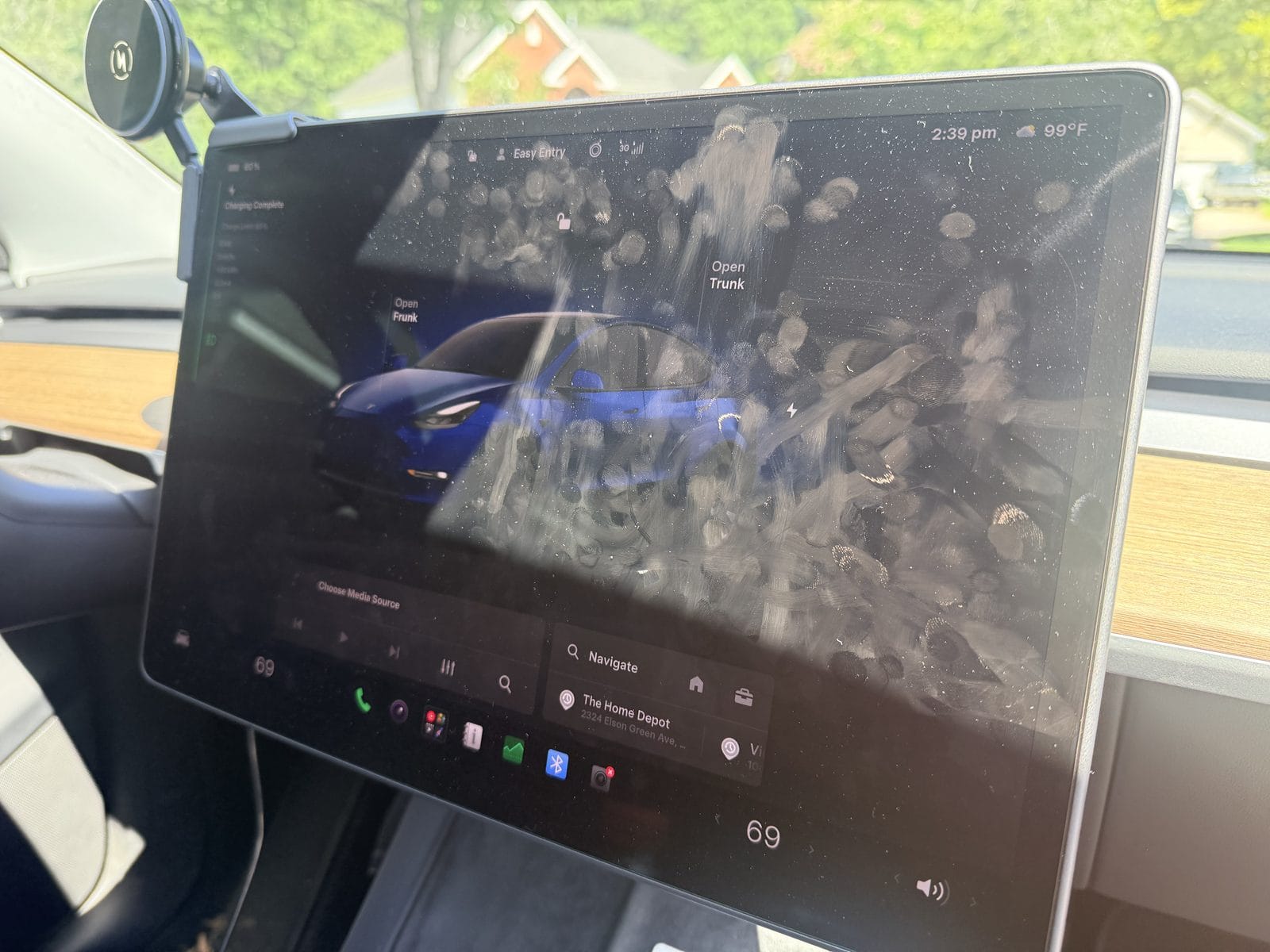
What owners actually complain about is different: glare and fingerprints. Those are real, daily, and annoying. But they’re a coating-and-angle problem, not a durability problem, and a protector is only sometimes the right answer to them — sometimes it’s the thing that makes them worse.
So the honest split:
Buy one if:
- Kids, teens, or frequent passengers use the screen. Rings and nails are the actual scratch risk, and back-seat-driver screen-poking is constant.
- You park where low sun hits the screen and glare is genuinely bothering you. A matte protector is a real fix for this.
- You carry tools, gear, or anything that shares cabin space with the dash.
- The car is a lease return or a planned resale and you want the screen to inspect as new.
Skip it if:
- It’s mostly you in the car, and your hands are the only thing touching the screen.
- You just bought a 16-inch QHD car. You paid for the sharper panel; putting a diffusing matte layer over it works against the thing you paid for. (More on that below.)
- You’re buying it because a listicle told you to, without a specific annoyance you’re trying to fix.
What Tesla’s manual actually says about the touchscreen
This is where the real risk is, and it has nothing to do with scratches. Tesla’s owner’s manual is specific about cleaning the display:
Use a soft lint-free cloth specifically designed to clean monitors and displays. Do not use cleaners (such as a glass cleaner) or alcohol-based gel products (such as hand sanitizer) and do not use a wet wipe or a dry statically-charged cloth (such as a recently washed microfiber).
Tesla Model Y Owner’s Manual, Cleaning
Read that list again. Glass cleaner, hand sanitizer, and wet wipes are the three things most people reach for in a car. And the manual adds a caution that’s easy to miss:
Statically-charged materials can cause damage to the touchscreen.
A freshly washed microfiber is called out by name as a thing not to use. The manual’s interior-cleaning sections also note that “the Tesla warranty does not cover damage caused by improper maintenance, including the use of cleaning solutions or tools that are not recommended in this Owner’s Manual.”
That reframes the whole question. The realistic way an owner damages a Tesla screen is not a fingernail — it’s a year of wiping it with the wrong thing. A protector does put a sacrificial layer between your cleaning habits and the factory glass, which is a legitimate argument for one. But it’s worth being clear that this is my reasoning, not Tesla’s recommendation — Tesla’s manual doesn’t mention screen protectors at all, in either direction.
The free fix most owners never turn on
Before you spend anything: your car has a Screen Clean Mode, and most owners have never opened it.
To wipe the front touchscreen without activating buttons and changing settings, you can enable Screen Clean Mode. Touch Controls > Display > Screen Clean Mode. The display darkens to make it easy to see dust and smudges. To exit Screen Clean Mode, press and hold HOLD TO EXIT.
Tesla Model Y Owner’s Manual, Cleaning
Two things happen when you use it. You stop accidentally changing the climate settings while wiping, and the darkened screen shows you every smudge — which means you actually clean the whole panel instead of smearing the middle of it. Paired with a proper display cloth, that’s the entire fingerprint problem solved for free.
If the fingerprint complaint is the reason you were shopping, try this for two weeks first. A fair number of people never get around to buying anything after that.
I use it every time. Without it, it’s genuinely easy to change a setting while you’re wiping and not realize you’ve done it — you find out later when the climate is set to something you didn’t choose. That alone is worth the two taps.
The real trap: your Tesla has one of three different screens
This is where money actually gets wasted, and it’s the part the “top 10 accessories” posts get wrong.
There is no such thing as the Tesla screen protector, because there is no such thing as the Tesla screen. Across cars that people all describe the same way, there are three distinct center panels in play:
- 15-inch — the legacy cars. Tesla lists the pre-2024 Model 3 screen at 15 inches, and the same panel runs through the 2020–2024 Model Y. 2025 is the year to be careful with: the protector listings themselves can’t agree on it — some 15-inch parts claim the Model Y through 2025, and 15.4-inch parts claim Model Y 2025 too. If that’s your car, measure rather than trust a year range.
- 15.4-inch — the 2024–2026 Model 3 Highland and the early Model Y Juniper. Close in size to the 15-inch, but the bezel and housing differ, so a legacy protector will not seat correctly.
- 16-inch QHD — started on Model Y Performance, spread to the Premium trims in early 2026, and as Not a Tesla App documented on June 5, 2026, became standard on the base RWD and AWD as well.
That last one is the trap nobody warns you about. Two 2026 Model Ys can have different screens. If you ordered before that change you may have a 15.4-inch panel; if you ordered after, you have the 16-inch. Model year does not tell you which — build date and trim do.
And the panels are not close enough to fudge. Here’s what actually changed between the two current ones:
| 15.4-inch panel | 16-inch panel | |
|---|---|---|
| Resolution | 1920 × 1200 | 2560 × 1440 (QHD) |
| Aspect ratio | 16:10 | 16:9 |
| Display width | 13.06″ | 13.95″ |
| Display height | 8.16″ | 7.84″ |
| Screen area | 106.59 in² | 109.39 in² |
Source: Not a Tesla App, June 5, 2026.
Nearly an inch wider, half an inch shorter, and a different aspect ratio. A protector cut for one physically cannot sit correctly on the other. If you’re not certain which panel you have, measure the glass or check your window sticker before you order — and if you own a 2025–2026 Model Y, our Model Y Juniper fitment guide walks through this split and every other one in that generation.
You don’t have to take my word for how messy this is. Here’s the warning printed on the product page of one of the 16-inch protectors linked further down — a vendor telling you, on its own listing, not to trust the year:
NOTE: Some 2026 Model Y Premium vehicles may still be equipped with a 15.4″ screen. Please measure your screen before purchasing.
When the company selling the part won’t guarantee the fit from your model year, that’s the whole argument for measuring first.
If you decide yes: match the panel, then pick the finish
Three lanes, one pick each. Find your lane first — that matters more than the brand — then read the matte-versus-glossy trade below before you order.
One habit worth adopting for all three: every one of these is a multi-size listing, where the same page sells 15-inch, 15.4-inch, 16-inch and rear-screen versions. The link takes you to the right one, but confirm the size selector still reads what you expect before you check out. That selector is where a correct order quietly becomes a wrong one.
Lane 1 — the 15-inch legacy panel
SUMK Tempered Glass Screen Protector — the legacy-car pick
9H tempered glass for the original center display, with an included alignment frame that makes a bubble-free first attempt realistic. This is the same protector we card in our Model 3 accessories guide, and it’s the one lane where the aftermarket has had years to settle down.
Fitment (read off the live listing, 2026-08-10): Model 3 2017–2023 and Model Y 2020–2024.
One caveat worth knowing: this listing argues with itself. Its title says Model Y “2020-2025,” while its spec sheet and its own first bullet both say 2020–2024. We’ve quoted the narrower pair here because that’s the version the product details support — and it’s one more reason a 2025 Model Y owner should measure instead of trusting a year.
Best for: Legacy Model 3 and Model Y owners — the largest group of Teslas on the road.
Check Price on AmazonLane 2 — the 15.4-inch panel (Highland and early Juniper)
Spigen Anti-Glare 15.4-inch Screen Protector — the 15.4-inch pick
Tempered glass (Spigen rates it 10H) cut for the 15.4-inch center screen, with a matte anti-glare and anti-fingerprint finish and an alignment tray for the install.
Fitment (read off the live listing, 2026-09-25): Model 3 Highland 2024–2026 and the Model Y Juniper (2025) with the 15.4-inch panel. It is not the 16-inch panel in the 2026 Model Y Premium and Performance — that is a different part, sold as its own size on the same listing.
What you get: one front protector, no rear-screen piece and no spare. The listing’s unit count of 1 says so. Confirm the size selector reads 15.4-inch before you check out.
Best for: 15.4-inch owners who want glare and fingerprints handled in one go — provided you’ve read the matte trade below and want it.
Check Price on AmazonLane 3 — the 16-inch QHD panel
Wigoo 16-inch Matte Screen Protector — the current-build pick
Matte anti-glare glass cut for the 16-inch QHD display, shipped as a set with an 8-inch rear-screen protector. Read the finish note below before you buy this one — on this panel specifically, matte is a real trade, not a free upgrade.
Fitment (read off the live listing, 2026-08-10): Model Y Performance 2025–2026, Model Y Premium 2026, and Model Y L 2026 — all the 16-inch panel.
Note what isn’t on that list: the base RWD and AWD 2026 Model Ys that picked up the 16-inch screen in the June 5 change. The vendor doesn’t claim them, and this is the same listing that warns some 2026 Premiums still ship with a 15.4-inch screen. Measure before you order.
Best for: Performance, Premium, and Model Y L owners who park in bright sun and would rather have a readable screen than a razor-sharp one.
Check Price on AmazonMatte vs glossy: the trade nobody mentions
Matte finishes reduce glare by diffusing reflected light across the surface instead of bouncing it back at your eyes. That’s genuinely effective — it’s why matte is the honest recommendation for glare complaints.
But diffusion works on the light coming out of the screen too. That’s the trade: matte buys you a readable screen in bright sun and costs you some crispness in every other condition. On a 1920 × 1200 panel that’s a fair swap. On the 16-inch QHD panel, you paid specifically for 2560 × 1440, and softening it to fix glare you may not actually have is worth thinking about for more than a second.
Glossy is the opposite trade: full clarity, full reflections, and every fingerprint on display.
The rule I’d use: buy matte only if you can name the specific time of day and direction you’re driving when glare bothers you. If you can’t, buy glossy, or buy nothing.
Worth being straight about our picks: the 15.4-inch and 16-inch selections above are both matte, because that’s what those lanes are mostly selling right now. If you land in one of them and decide glossy is the honest answer for you, the same listings usually carry a glossy version behind the size-and-finish selector — check it before you assume matte is your only option.
Comparison table
| Your panel | Which cars | Our pick | Finish | Best for |
|---|---|---|---|---|
| 15-inch | Model 3 2017–2023 · Model Y 2020–2024 | SUMK tempered glass | Glossy | The legacy fleet — the settled, low-risk lane |
| 15.4-inch | Model 3 Highland 2024–2026 · Model Y Juniper 2025–2026 | Spigen Anti-Glare 15.4-inch | Matte | Glare and fingerprints in one pass |
| 16-inch QHD | Model Y Performance 2025–2026 · Premium 2026 · Model Y L 2026 | Wigoo 16-inch | Matte | Bright-sun parking, if you accept the softness trade |
Frequently Asked Questions
Does a Tesla screen protector void your warranty?
The protector itself doesn’t — a stick-on interior accessory isn’t a modification to the vehicle. What is covered explicitly is maintenance: Tesla’s manual states that the warranty “does not cover damage caused by improper maintenance, including the use of cleaning solutions or tools that are not recommended in this Owner’s Manual.” So the warranty question isn’t about the protector. It’s about what you wipe it with.
Will a screen protector hurt touch sensitivity?
A well-made tempered glass protector shouldn’t. Capacitive touch reads through a thin glass layer without much trouble, which is why phone protectors work. The real-world failures aren’t sensitivity — they’re installation: trapped dust under the glass, a lifted edge that catches a fingernail, or a chipped corner. Which is the argument for taking the install seriously rather than for spending more: clean the glass properly, kill the cabin airflow so it isn’t blowing dust at you, and use the alignment frame the kit gives you.
How do I tell whether my Model Y has the 15.4-inch or 16-inch screen?
Build date and trim, not model year. The 16-inch QHD display started on Performance, moved to the Premium trims in early 2026, and became standard across the U.S. Model Y lineup on June 5, 2026. Two 2026 Model Ys can genuinely have different panels. Measure the glass or check your window sticker before ordering — the two differ by nearly an inch in width and use different aspect ratios.
What should I actually clean my Tesla screen with?
A soft, lint-free cloth made for monitors and displays, used with Screen Clean Mode turned on. Tesla’s manual specifically rules out glass cleaner, alcohol-based gels like hand sanitizer, wet wipes, and dry statically-charged cloths — including a microfiber straight out of the laundry. If you buy one thing after reading this, make it a proper display cloth rather than a protector.
Is a screen protector worth it for a teen driver’s Tesla?
This is the strongest case for one. A car shared with a new driver sees more hands, more phones on the dash, and more passengers using the screen than an owner-only car — and the ring-and-fingernail risk is the one thing a protector genuinely prevents. If you’re setting up a used Model 3 as a first car, it’s a cheap addition to a car that’s going to get lived in.
Our Honest Verdict
Most owners don’t need a Tesla screen protector. Normal use doesn’t scratch the center display, and what wears on it is glare, smudges, and a year of being wiped with the wrong cloth. Turn on Screen Clean Mode, buy a proper display cloth, and give it two weeks. If after that you still have a specific complaint, buy one, cut for your exact panel. The complaints that justify it are kids using the screen, sun glare where you park, or a lease you’re protecting. Getting the panel right matters more than getting the brand right, and a protector cut for the wrong screen is a return label.