
Updated September 5, 2026
Disclosure: As an Amazon Associate, I earn from qualifying purchases. This comes at no extra cost to you and helps keep this site running.
Getting locked out of your Tesla is almost always a planning failure rather than a car failure, and most owners run into it at some point, usually because the phone died. The car has three separate ways to get in, and a lockout means none of the three was on you at the time. This guide covers what to do in the moment, and then the ten-minute backup setup so it does not happen to you again.
First, Know Your Three Keys
A Tesla recognizes three kinds of key (Tesla’s own keys support page covers the mechanics), and they fail independently — that’s the whole basis of the backup plan:
Phone key. Your phone connects over Bluetooth and the doors unlock as you walk up. It’s the everyday key, and it’s also the only one that dies when your battery does.
Key card. The credit-card-sized RFID card that came in your delivery-day folder (you got two). Tap it on the driver’s-side B-pillar to unlock, and place it on the console reader area to drive. No battery, no Bluetooth, works when everything else is dead. This card is the hero of this article.
Key fob. Tesla’s optional traditional-style fob — walk-up unlock without depending on your phone. It runs on a coin cell that lasts a long time and swaps in seconds. Sold by Tesla directly (link below — not an affiliate link).
Worth knowing about a fourth option: an Apple Watch can work as a key through the Tesla watch app. I use mine this way, and it’s a quietly excellent backup — a key strapped to your wrist doesn’t get left in a jacket, and it’s exactly the key you want when the phone in your pocket is dead.
Locked Out of Your Tesla Right Now? Do This, in Order
1. Borrow any phone and log into the Tesla app. Your Tesla account is the master key. On a friend’s or stranger’s phone, install the Tesla app, log in with your credentials, and you can unlock the car remotely. This works from any distance as long as the car has connectivity. (This is the recovery path people forget in the moment — the key isn’t your phone, it’s your account.)
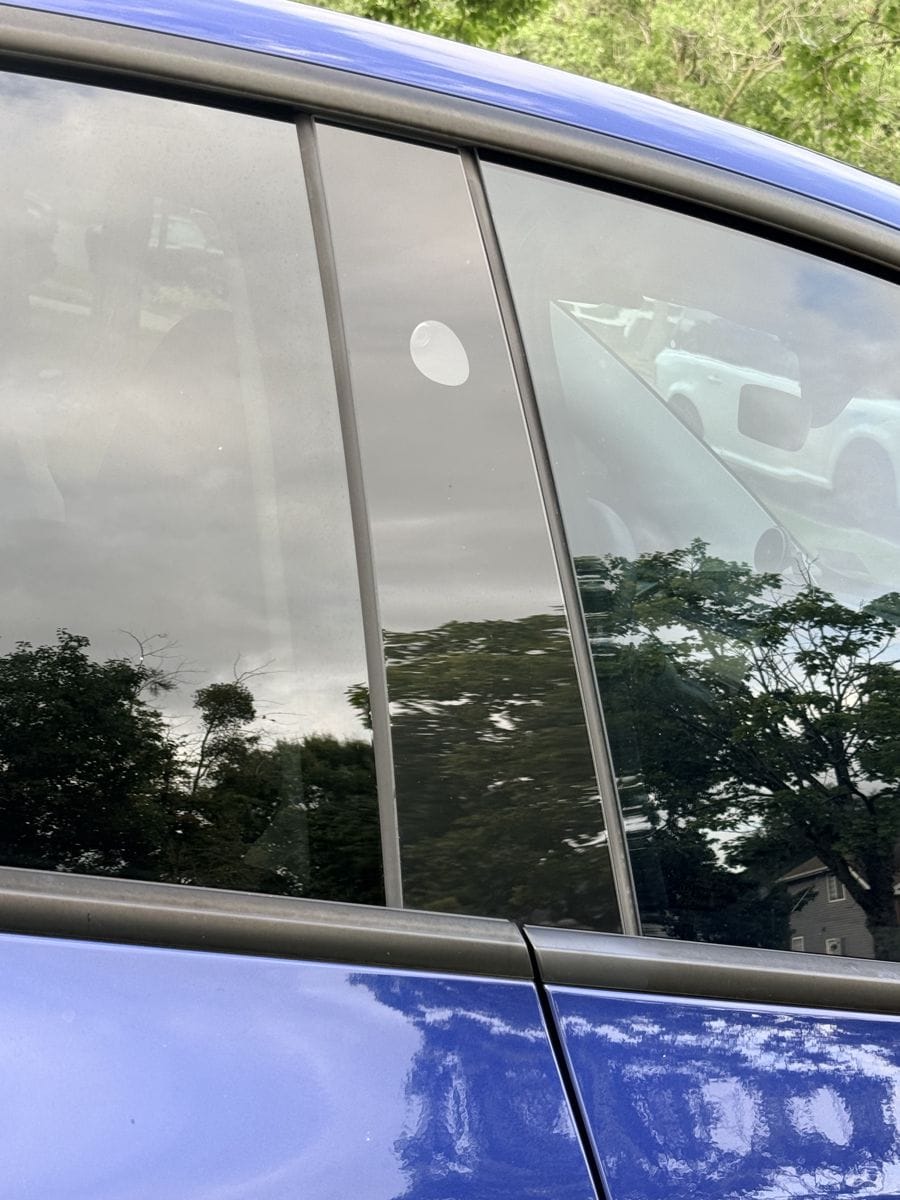
2. Use the key card if it’s anywhere reachable. Mine lives in my regular wallet, right alongside my credit cards and driver’s license — nothing special, and that’s the point: it’s always on me. Tap it on the driver’s-side B-pillar (the spot below the pillar camera, pictured here on my Model Y) and you’re in.
3. Charge your dead phone. A pocket-sized power bank and two minutes gets your phone key back — this is why one lives on the products list below.
4. Tesla Roadside Assistance. The fallback if you have no account access and no card. Slower and potentially not free — which is exactly why the cheap backup plan below wins.
The 10-Minute Backup Plan (Do This Today)
1. Key card lives in your wallet. Permanently.
Not the junk drawer, not the delivery folder — your wallet, next to the cards you never remove. It’s thin, it needs no battery, and it turns “locked out” into “mildly inconvenienced.” (It also made our first Tesla accessories buy list for exactly this reason.) The card is tough, but wallets are hard on cards, which is where a holder earns its dollar:
Silicone Tesla Key Card Holder, 2-Pack with Keychain
A two-pack that solves both delivery cards at once: sleeve one for your wallet, and hang the other on a keyring, bag, or gym lanyard so a second card lives somewhere your wallet isn’t. Cheap insurance against a delaminated card in a back pocket, too.
Specs: 2 holders + keychains | Fits the standard Tesla key card | Model 3 / Y / Cybertruck
Check Price on Amazon →Pofesun Adhesive Phone Card Holder (3-Pack)
A slim stick-on pocket puts the key card on the one object you already never leave behind. (Yes, it doesn’t help if the phone itself is lost — that’s what the wallet card and the account login cover. Layers, not a single point of failure.)
Specs: 3 pockets | Self-adhesive silicone | Fits phones and most cases
Check Price on Amazon →And one wearable I can’t recommend from experience: the RFID ring keys. I bought one — the idea of a key you literally wear is great — but the epoxy coating wasn’t durable, wore into jagged edges fast, and I tossed it. If you want a key on your body, the Apple Watch route above has been the better answer for me.
2. Add every regular driver’s phone as a key
If your spouse or teen drives the car, their phone should be a key in its own right — not a shared login. Each added phone key is one more independent way into the car standing in a driveway near you. Set it up once from the car with both phones present.
3. Consider the fob if you’re phone-ambivalent
Tesla Key Fob — Tesla’s own shop (not an affiliate link). If you fundamentally don’t want your phone to be your key — or you want a glovebox-independent spare at home — the fob is the traditional answer. Check Tesla’s shop for your model’s version and current price; we don’t quote prices that change.
4. Keep phone-revival power in your pocket or bag
INIU Ultra Mini 10,000mAh 45W Power Bank (USB-C Cable Included)
Solves the actual root cause of most lockouts: the dead phone. It’s small enough for a jacket pocket or bag, fast enough that two minutes of charge gets the phone key or the app back, and the cable is attached so you’re not hunting for one in the dark. (The same bank pulls double duty on trips — it’s the kind of item our road trip packing list is built around.)
Specs: 10,000mAh | 45W fast charge | Detachable USB-C cable | Pocket-sized
Check Price on Amazon →One honest note on placement: a power bank kept inside the car can’t help you get in — carry it, don’t console it, if lockouts are the problem you’re solving.
Backup Setup Comparison
| Backup | Cost tier | Saves you when… | Weak spot |
|---|---|---|---|
| Key card in wallet + holder 2-pack | $ | Phone dead, lost, or stolen | Forgetting the wallet too |
| Phone-back card pocket | $ | Phone alive but app/Bluetooth flaky | Lost phone takes both |
| Second driver’s phone key | Free | Your phone dies; theirs didn’t | Needs the other person nearby |
| Tesla key fob (Tesla.com) | $$ | You’d rather not phone-key at all | One more thing to carry |
| Mini power bank w/ USB-C cable | $$ | Dead phone anywhere, not just lockouts | Only helps if it’s on you |
Frequently Asked Questions
Can someone unlock my Tesla if they find my key card?
A found card opens that specific car if the finder can also find the car — cards aren’t labeled with your identity or location, which limits the real-world risk. You can remove a lost card’s access from the car’s key list in minutes, so do that as soon as a card goes missing.
Does the phone key work if my phone is on but has no signal?
The phone key works over Bluetooth between the phone and the car, so a phone with a dead SIM or no bars still unlocks the car. The app’s remote unlock is the part that needs connectivity — on both ends.
How many keys can a Tesla have at once?
More than any household needs — multiple phones, cards, and fobs can be active simultaneously, and you can view and prune the list from the car. The practical advice: every regular driver’s phone, two cards, and you’re covered.
What if my Tesla’s own battery is dead?
Then no key will open the doors the normal way — the locks themselves need the car’s low-voltage system. That’s a jump-start/service scenario rather than a key problem; keep it in mind before leaving a Tesla parked for many weeks at a very low charge.
Is the key fob worth it?
If the phone key has ever stranded or annoyed you — yes, it’s the cheapest peace of mind Tesla sells. If your phone key has been flawless and a card rides in your wallet, you’re already double-covered and can skip it.
Our Honest Verdict
The lockout problem is solved with one cheap purchase and about ten minutes of setup. Keep a key card in your wallet in a holder, and add every driver’s phone as its own key. A small power bank covers the dead-phone case. The fob is optional, and it makes sense if you would rather not use your phone as a key. Do the free parts today, because the day you need them will not give you any warning. Once the keys are sorted, the rest of the cabin is worth the same kind of attention, and our Model 3 accessories guide is the place to start.